Home
how to use
updates
Buy Now
How to Use
After you download the icons, and save the images to your photos app on your phone, you could follow this steps below.
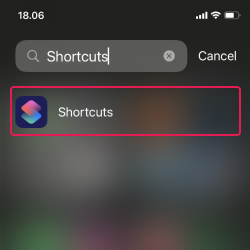
1. Open the Shortcut app
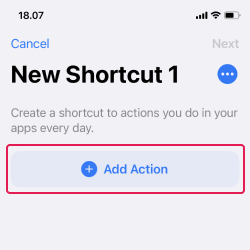
2. Add a new shortcut
3. Tap 'Add Action'
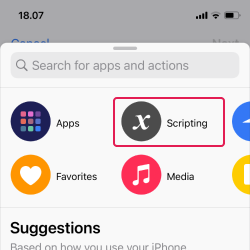
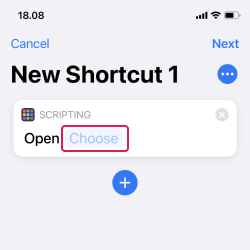
4. Tap 'Scripting'
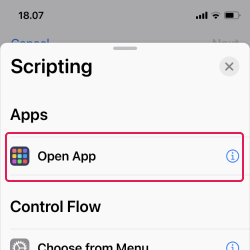
5. Tap 'Open App'
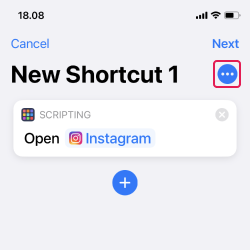
6. Choose the app
7. Tap the three-dot button
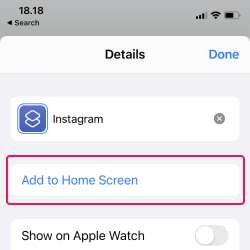
8. Tap 'Add to Home Screen' button
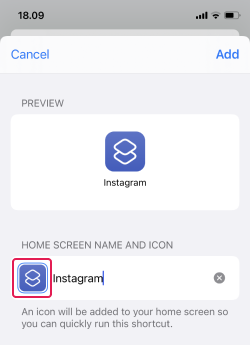
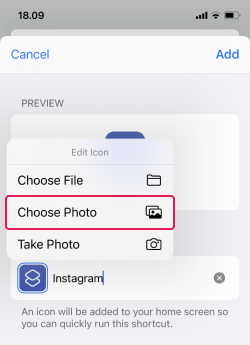
9. Type a name, then tap the icon
10. Tap the 'Choose Photo' button
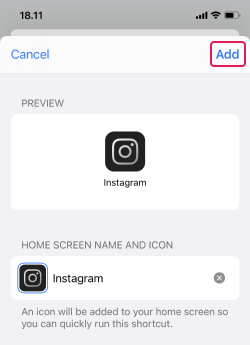
11. Choose your icon, then hit 'Add'
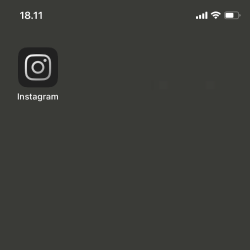
12. The shortcut will appear on your home screen!
Buy Now